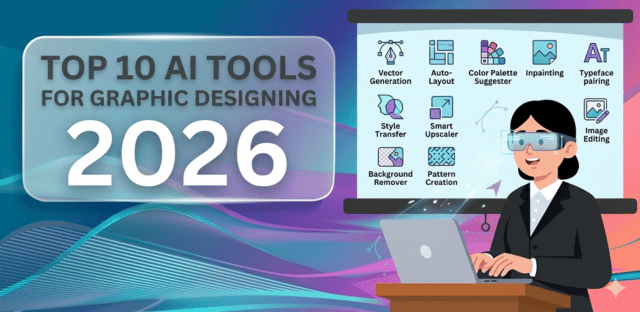
Top 10 AI Tools for Graphic Designing You Need in 2026
Top 10 AI Tools for Graphic Designing You Need in 2026
Graphic design has changed more in the last two years than in the previous decade. What once required hours of manual work can now be done in minutes with the help of AI.
In 2026, AI tools are not replacing designers, they are amplifying creativity, speeding up workflows, and removing repetitive tasks. From generating images to designing full brand assets, AI has become an essential part of every designer’s toolkit.
If you want to stay ahead, these are the top 10 AI graphic design tools you need in 2026.
1. Canva AI (Best for Beginners & Speed)
Canva AI is the easiest way to go from idea to design in minutes.
With features like Magic Design and AI image generation, you can create:
- Social media graphics
- Posters
- Presentations
- Marketing creatives
It’s built for non-designers but powerful enough for professionals.
Why it matters:
- Fastest way to create designs
- Huge template library
- Beginner-friendly interface
2. Adobe Firefly (Best for Professionals)
Adobe Firefly is built for serious designers who need precision and quality.
It allows you to:
- Generate images from text
- Use generative fill in Photoshop
- Create vector graphics with AI
Its biggest advantage is deep integration with Adobe Creative Cloud.
3. Figma AI (Best for UI/UX Design)
Figma AI is transforming how teams design digital products.
It helps you:
- Generate layouts automatically
- Edit images inside design files
- Collaborate in real-time
Perfect for:
- App design
- Website UI
- Product teams
4. Midjourney (Best for Creative Visuals)
Midjourney is known for producing high-quality, artistic images that often look like professional artwork.
Designers use it for:
- Concept art
- Branding ideas
- Social media visuals
It excels in creativity and visual storytelling.
5. Microsoft Designer (Best Free Alternative)
Microsoft Designer is a powerful free tool for creating quick visuals.
It can:
- Generate designs from prompts
- Suggest layouts
- Create social media content instantly
Great for beginners and marketers.
6. Stable Diffusion (Best Open-Source AI)
Stable Diffusion gives you full control over AI-generated images.
Unlike other tools, it can be:
- Self-hosted
- Customized
- Fine-tuned
Best for developers and advanced designers.
7. Uizard (Best for Wireframes & Prototypes)
Uizard turns sketches into digital designs instantly.
You can:
- Convert hand-drawn ideas into UI
- Generate app layouts
- Build prototypes quickly
Ideal for startups and product designers.
8. Runway ML (Best for Motion & Visual Effects)
Runway ML blends graphic design with video and motion AI.
It allows:
- Background removal
- AI video editing
- Visual effects generation
Perfect for creators working with both images and video.
9. Leonardo AI (Best for Game & Concept Design)
Leonardo AI is gaining popularity for generating:
- Game assets
- Characters
- Detailed illustrations
It offers strong control over style and consistency.
10. DALL·E (Best for Easy Image Generation)
DALL·E is one of the most accessible AI design tools.
You can:
- Generate images from text
- Edit images conversationally
- Create design ideas instantly
It’s perfect for quick and simple graphic creation.
Final Thoughts
The biggest shift in 2026 is this:
Design is no longer about starting from scratch. It’s about starting with AI and refining the result.
Modern designers:
- Generate ideas with AI
- Customize and refine them
- Deliver faster than ever
AI tools act as creative partners, helping designers explore ideas, iterate faster, and improve productivity.
Recommended Workflow
- Use Midjourney or DALL·E for idea generation
- Use Canva or Microsoft Designer for quick layouts
- Use Figma for structured design
- Use Adobe Firefly for professional refinement
If you’re still designing everything manually in 2026, you’re not just working harder. You’re working slower than the competition.